All work
Pharmacy operations tools

Barcode stock counts, matched live to the system.

No more paper and manual entry: the pharmacist scans an item and instantly sees the physical count, the system stock and the difference. At the end there's a ready report of shortages and surpluses and their value, even if the branch kept selling during the count.

Direct link to the POS Barcode scanner or phone camera 4 count types Excel report
Scanning screenPreliminary reportCounted itemsStarting a count

Screenshots with sample data

The story

Counts took a day, and the variance was wrong

The problem

Paper, data entry and surprises

Counts were written on paper and typed into the system later, which took time and caused errors. Worse, the branch doesn't close: an item is counted, then sold, and shows up as a shortage when it isn't one.

The solution

Every scan is matched instantly

The tool reads branch stock directly from the system and tracks every movement after an item is counted: sales, returns, transfers and receipts. So the final variance is the real one.
How it works

From the first scan to the report

The tool's interface is in Arabic.

1

Choose what to count

The pharmacist signs in with their system account and the tool picks their branch. Then they choose the scope:

  • The whole branch
  • Selected categories
  • One supplier's items
  • A shelf or zone
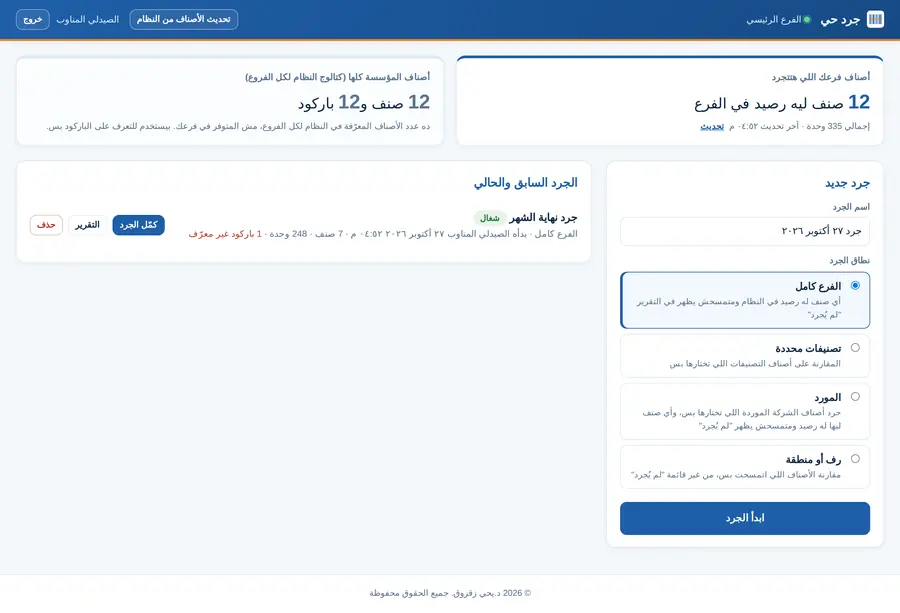
Home: branch items and a new count with four scopes
2

Scan and see the result

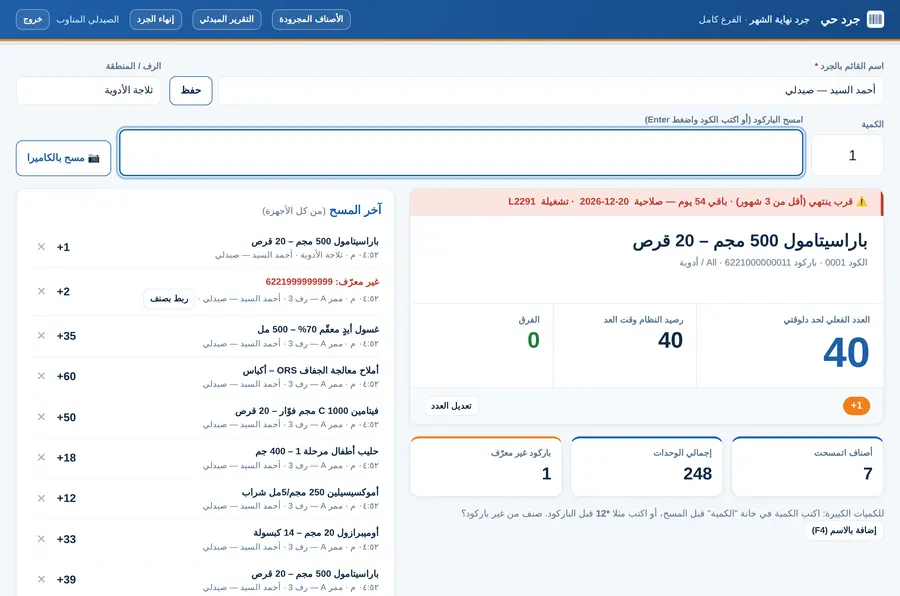
With a scanner or the phone camera. Each scan shows the item, the count so far, the system stock and the difference. If the medicine is close to expiry, an alert shows the batch and date.

Scanning: physical count, system stock, difference and an expiry alert
3

Several people at once

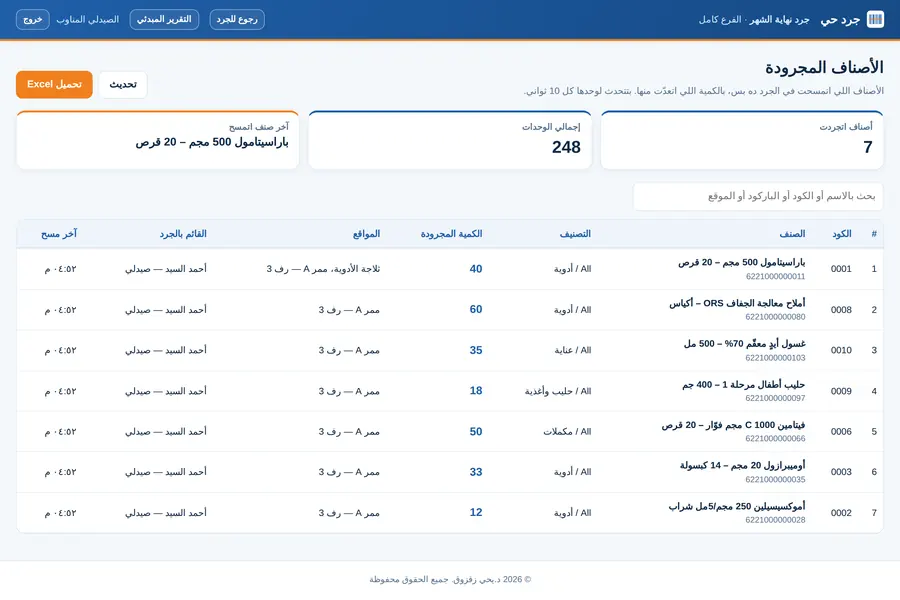
Each device records who is counting and which shelf. Scans from every device go into one count, and the counted-items list refreshes itself every 10 seconds.

Counted items with quantity, locations and who counted them
4

The report is ready

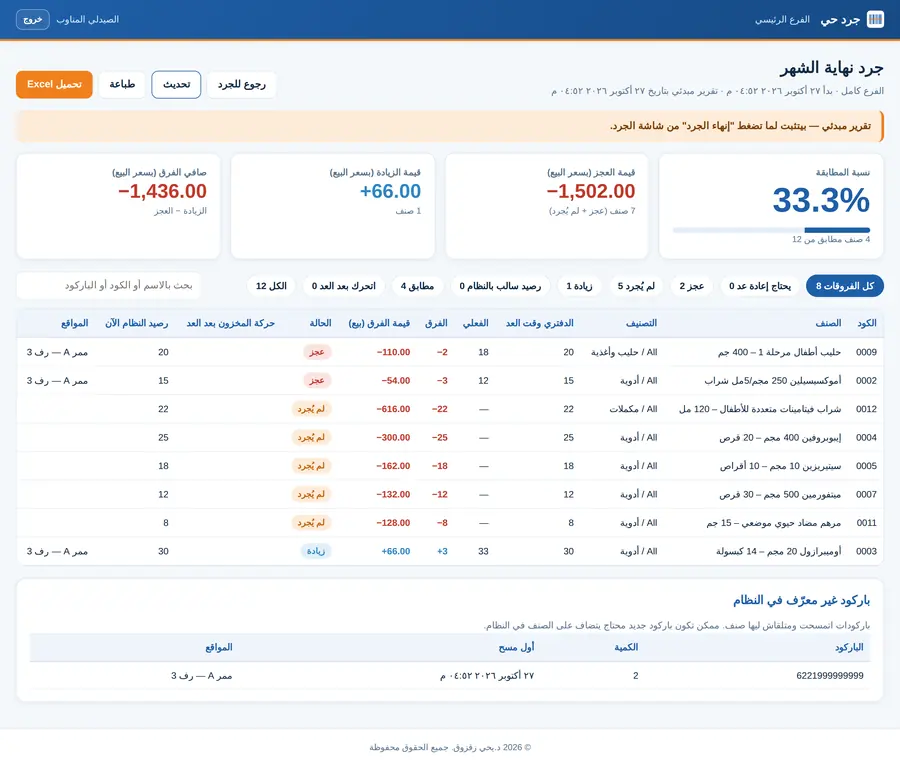
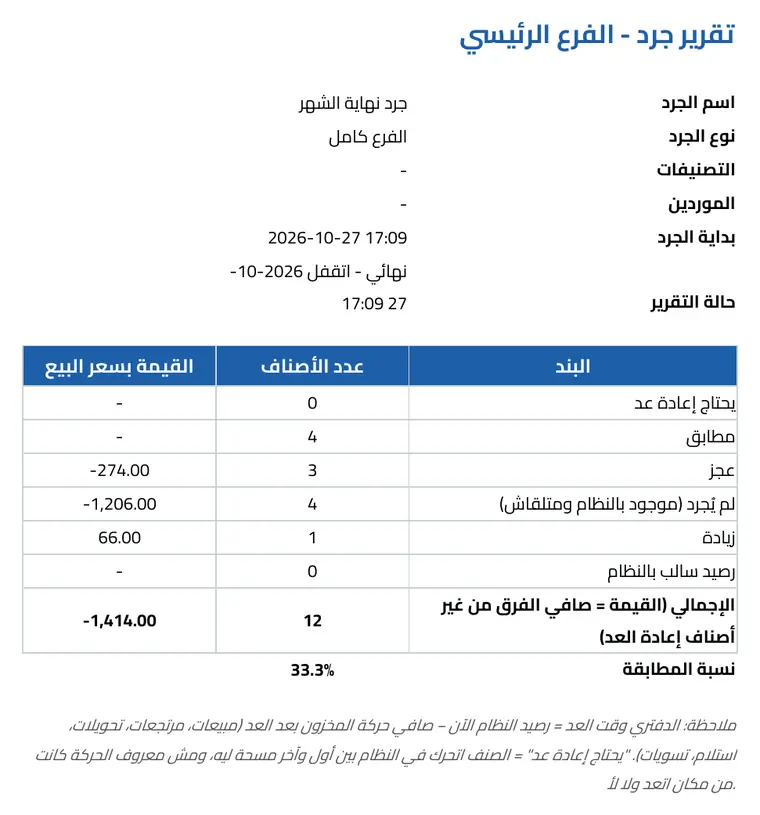
Match rate, shortage and surplus value at selling price, and every item's status: matched, short, over, not counted, or needs a recount. Download as Excel or print.

Preliminary report: match rate, shortage and surplus value, and item details
Features

Built for how pharmacies really work

Selling doesn't spoil the count

Book stock at count time = system stock now minus stock movement since the count. An item counted and then sold stays matched.

"Needs a recount"

If an item moved between its first and last scan, the tool flags it instead of judging it wrongly.

Reads the full medicine barcode

The GS1 code on medicine packs gives the item, the batch and the expiry date.

Unknown barcode?

It goes on its own list; link it to an item by name and it's exported so it can be added to the system.

Large quantities, fast

Type the quantity before scanning, or type 12* before the barcode. Items without a barcode can be added by name.

Read-only

The tool reads from the system and never writes to it, and has been tested with more than 40,000 items.

The report file

One Excel file with everything

The summary, each item's detail and movement after counting, expiry of counted items, barcodes to add to the system, and a log of every scan: who, when and from which shelf.

Report summary
Summary: items and value per status, and the match rate
Item details
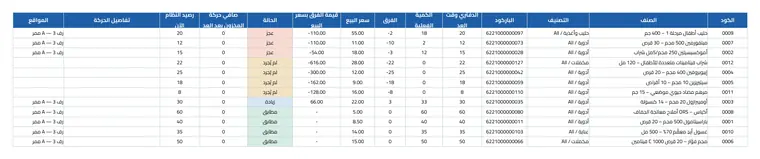
Every item: book and physical stock, difference, value and movement after counting
Expiry of counted items
Expiry of counted items, read from the medicine barcode
Scan log
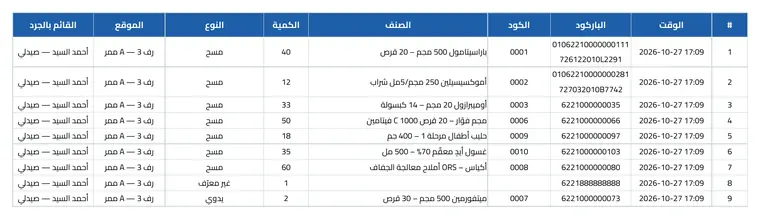
A log of every scan with time, location and who counted

Want live counting for your pharmacy?

Get in touch