All work
Pharmacy operations tools

Branch sales on screen, live.

A screen on the branch TV, connected directly to the point-of-sale system, rotating through 42 views on its own: sales and target, shortages, expiry, dead stock, customers and team performance. The manager and pharmacists know where the branch stands without anyone pulling a report.

42 screens 8 areas Direct link to the POS Refreshes about every 30 s
Today's sales overviewMonth to dateDaily target paceBusy-hours heatmapLow-stock alertNew customer rate

Real screenshots with sample data

The story

The numbers arrived too late

The problem

An end-of-day report isn't enough

Knowing how the branch is doing meant someone pulling a report from the system and reading it. Shortages, expiring items and dead stock showed up late, after an item had run out or passed its date.

The solution

An alert while there's still time

The screen pulls data straight from the point-of-sale system and shows it on the branch TV in turn, with no manual input. Anyone walking past sees sales, target and shortages in seconds.
The screens

42 screens in 8 areas

Pick an area to see its screens. Every figure uses the same formulas as my sales analysis tool and is checked with tests before each update. Screens are in Arabic.

Today's sales overview
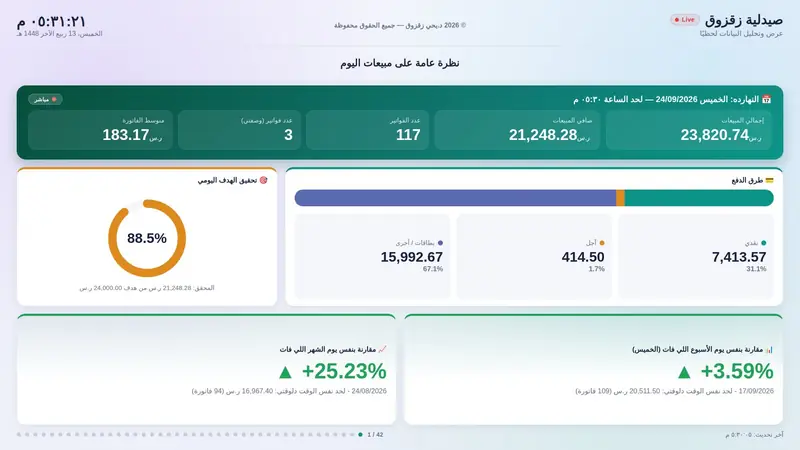
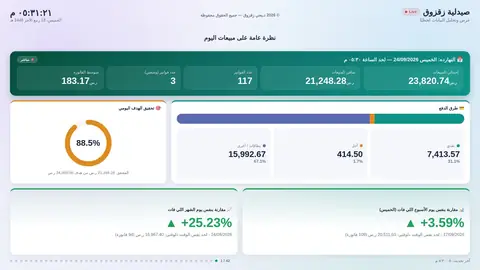
01 Today's sales overviewToday's gross and net sales live, invoices, average basket, payment methods and progress to the daily target.
Yesterday's sales overview
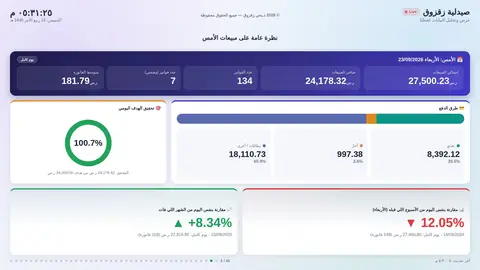
02 Yesterday's sales overviewYesterday's full result with the same indicators as today's screen.
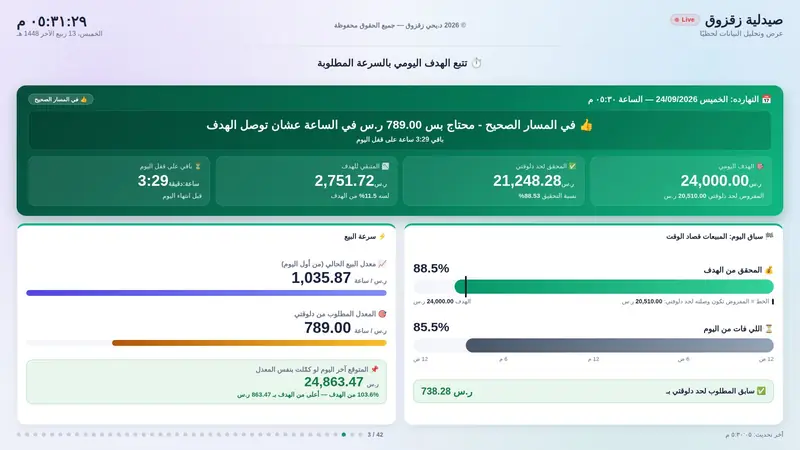
Daily target pace
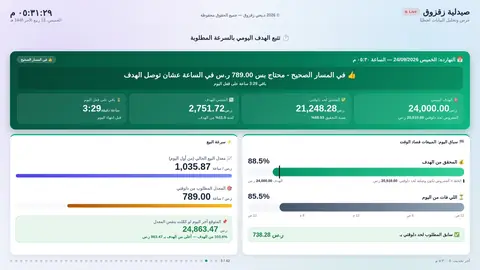
03 Daily target paceIs the branch on track? Achieved, remaining, time left, and current selling pace against the pace needed.
Biggest sale — today and this month
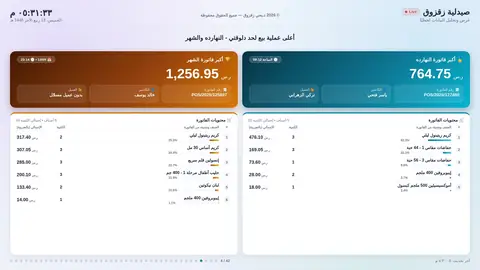
04 Biggest sale — today and this monthThe largest invoice today and this month: amount, cashier, time and items.
Today's sales by category
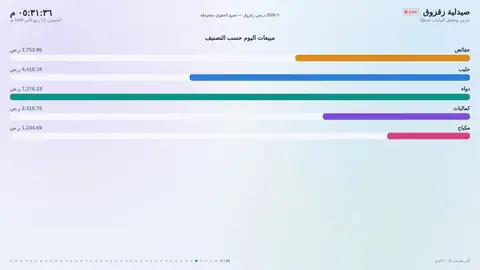
05 Today's sales by categoryToday's sales split across the main categories.
Daily sales this month
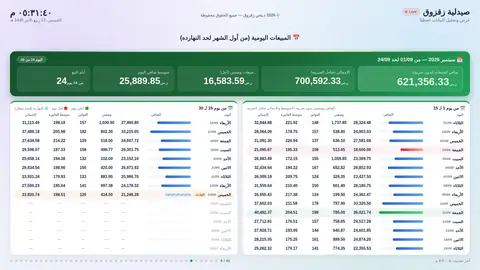
06 Daily sales this monthEvery day of the month in one table: net sales, invoices and average basket.
Month to date
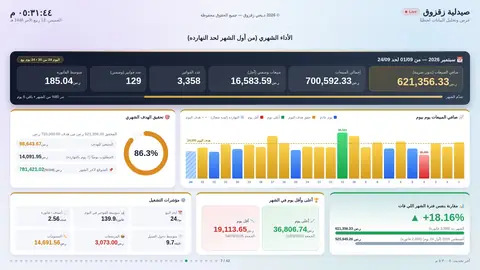
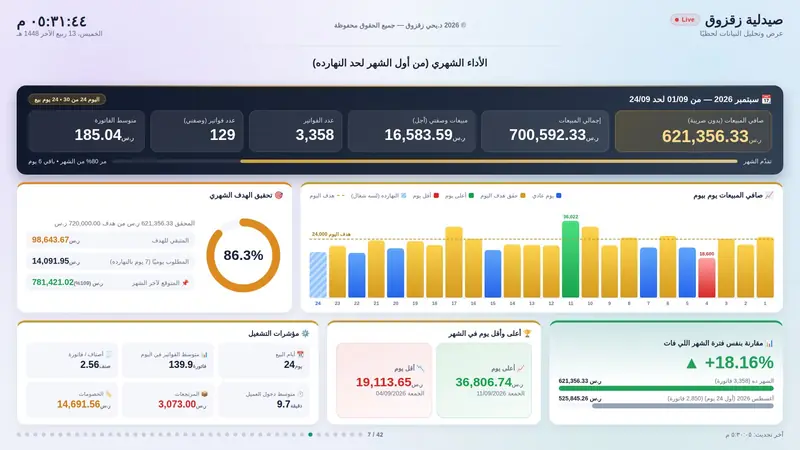
07 Month to dateMonth sales, day-by-day bars, monthly target progress and comparison with last month.
Last month in full
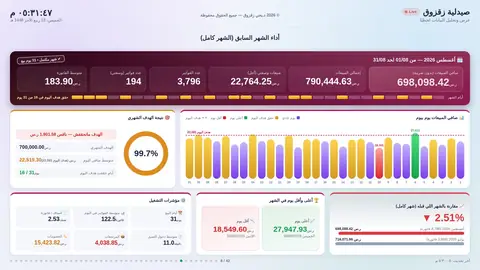
08 Last month in fullThe same indicators for the whole of last month, with the target result.
Daily sales trend
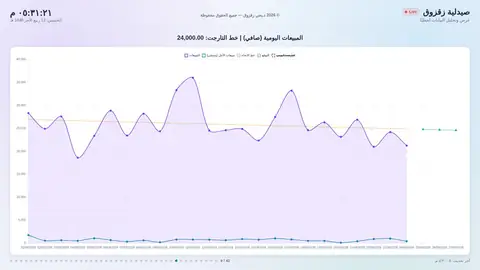
09 Daily sales trendNet sales curve day by day, trend line, forecast for the next days and the target line.
Sales by hour
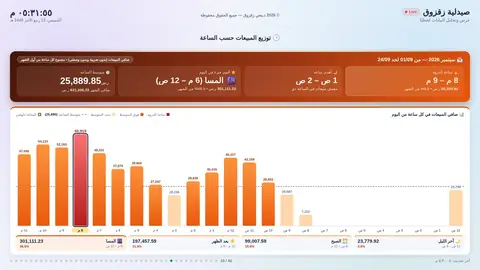
10 Sales by hourSales in each hour of the day, the peak hour and the quietest hour.
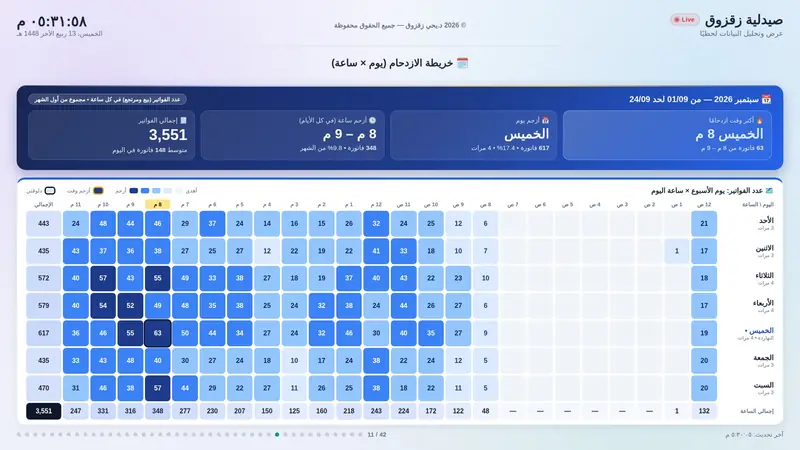
Busy-hours heatmap
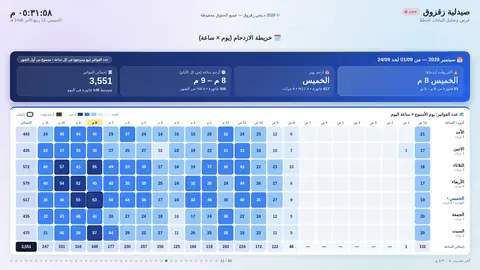
11 Busy-hours heatmapA heatmap of invoices by hour for every day of the week.
Weeks and best weekdays
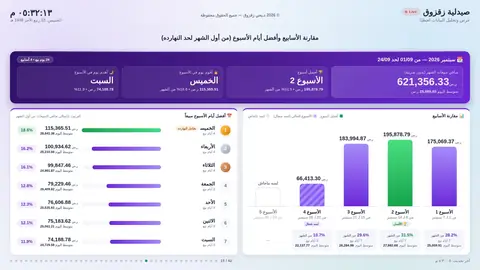
12 Weeks and best weekdaysNet sales for each week of the month, and weekdays ranked from best to worst.
Digital twin — next month simulation
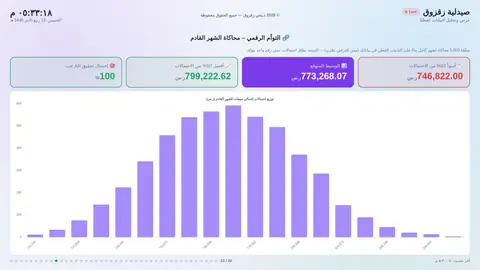
13 Digital twin — next month simulationNext month's sales forecast as a range of outcomes, with the chance of hitting the target.
Pharmacy health score
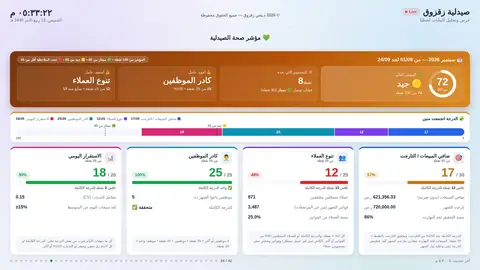
14 Pharmacy health scoreOne score out of 100 summarising the branch across four factors.
Top items per category
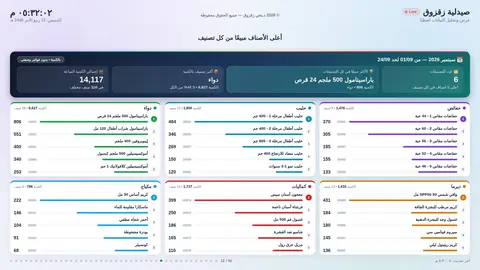
15 Top items per categoryThe top five items by quantity in each category this month.
Top 10 by quantity and value
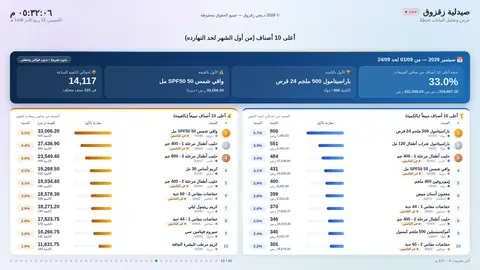
16 Top 10 by quantity and valueThe ten best sellers by units and the ten highest by revenue.
Sales mix: categories and payments
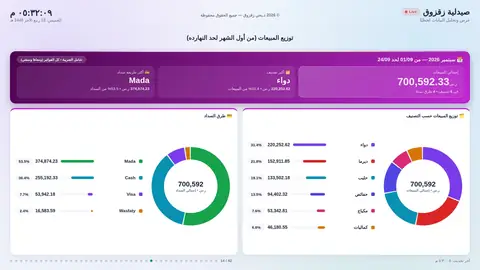
17 Sales mix: categories and paymentsEach category's and each payment method's share of sales.
Random item card
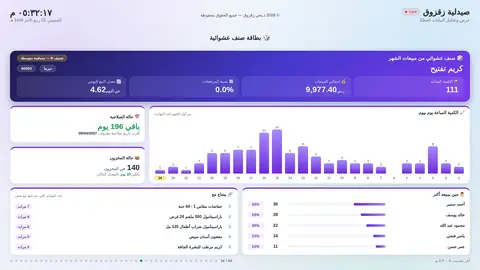
18 Random item cardA full profile of a randomly picked item: sales, expiry, stock and what sells with it.
Basket size and price bands
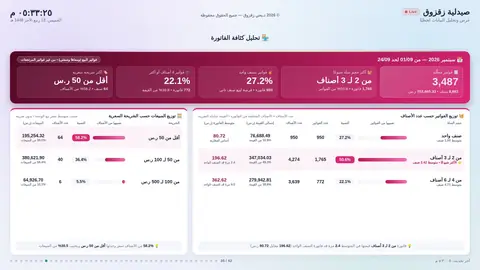
19 Basket size and price bandsInvoices by number of items, and sales by price band.
Items bought together
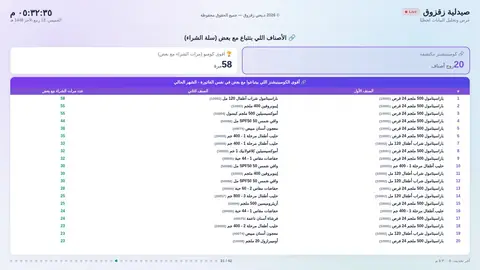
20 Items bought togetherThe item pairs that appear together most often in one invoice.
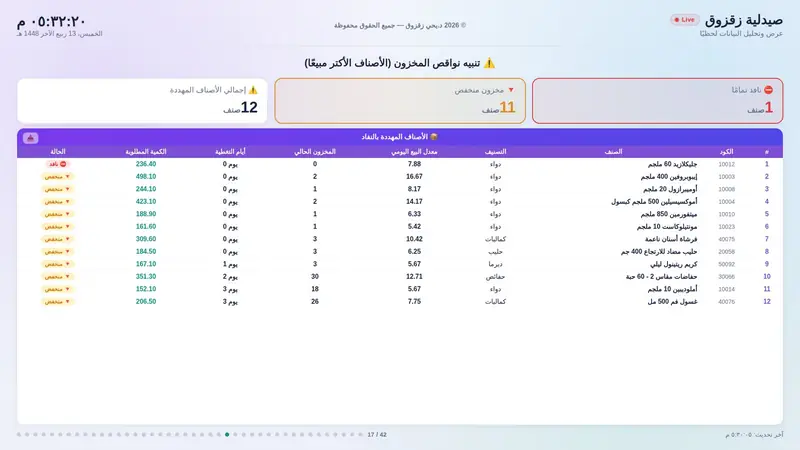
Low-stock alert
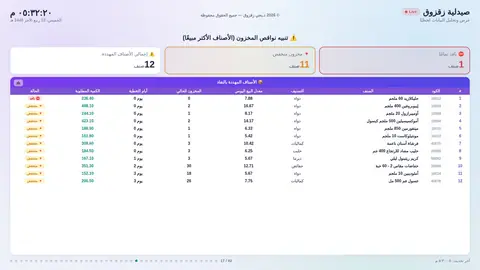
21 Low-stock alertBest sellers that ran out or are about to, days of cover and the quantity to order.
Repeat shortages
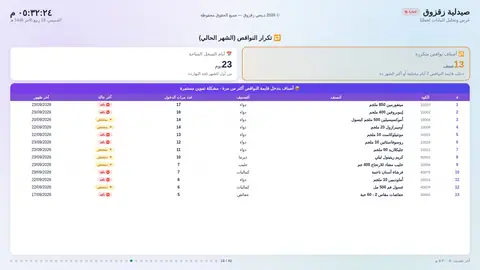
22 Repeat shortagesItems that hit the shortage list more than once this month.
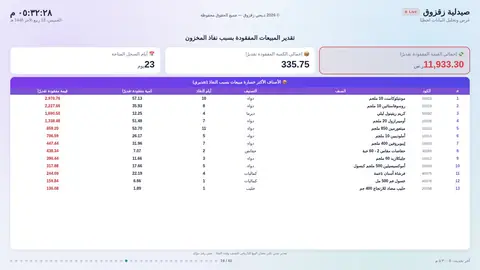
Sales lost to stock-outs
23 Sales lost to stock-outsAn estimate in riyals of the sales lost because items ran out.
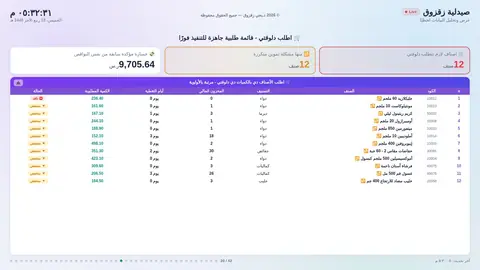
Order now — ready order list
24 Order now — ready order listWhat to order right away and how much, sorted by priority.
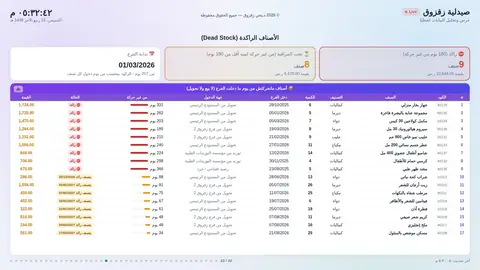
Dead stock
25 Dead stockItems in stock that haven't moved at all since they arrived at the branch.
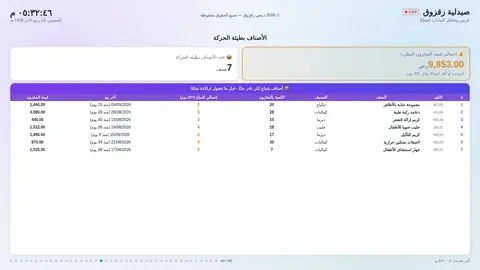
Slow movers
26 Slow moversItems still moving but very slowly, with stock value and last sale.
Expiry — already expired
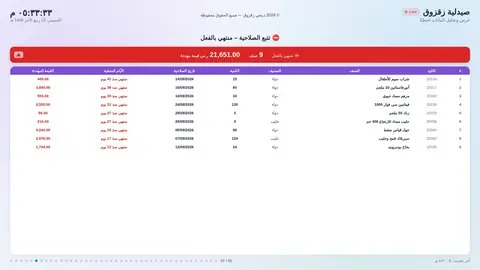
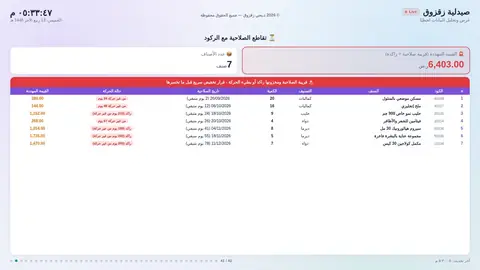
27 Expiry — already expiredEvery expired batch: quantity, date and value.
Expiry — within 30 days
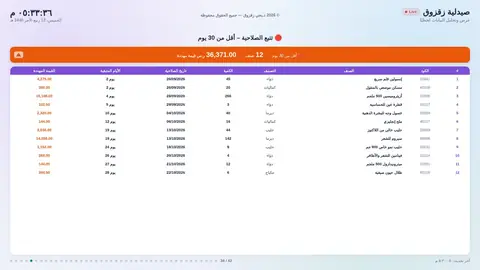
28 Expiry — within 30 daysBatches expiring within a month, and the value at risk.
Expiry — 30 to 60 days
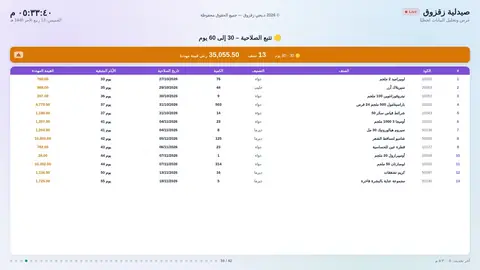
29 Expiry — 30 to 60 daysBatches expiring within two months.
Expiry — 60 to 90 days
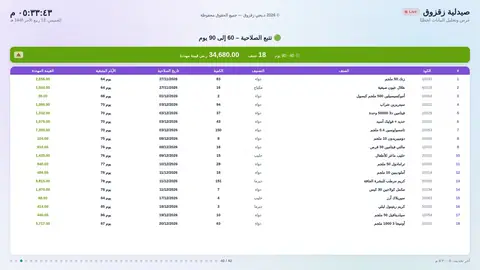
30 Expiry — 60 to 90 daysBatches expiring within three months.
Expiry meets dead stock
31 Expiry meets dead stockItems close to expiry that are also dead or slow: decide fast.
Sold before expiry
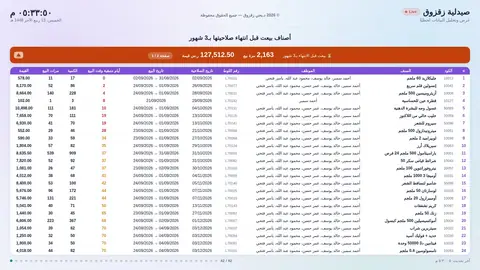
32 Sold before expiryWhat was sold this month from batches that would have expired within 90 days.
Customer behaviour (RFM)
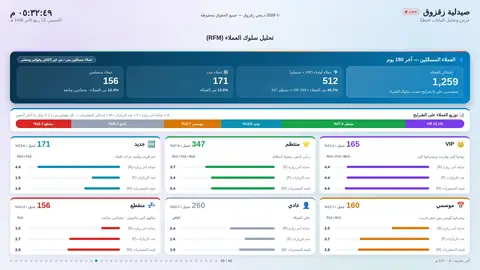
33 Customer behaviour (RFM)Customers in six segments by recency, frequency and spend.
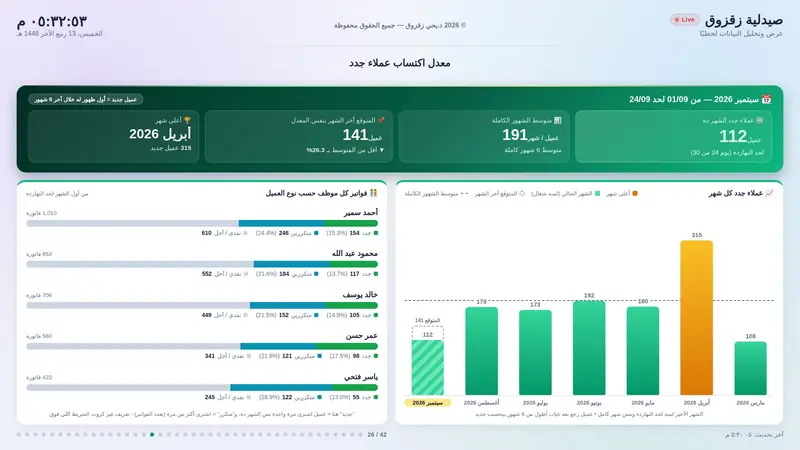
New customer rate
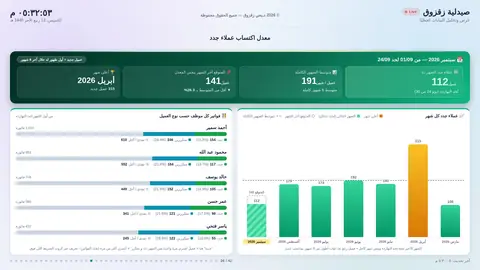
34 New customer rateNew customers this month, the month-end forecast and the last six months.
Repeat purchases
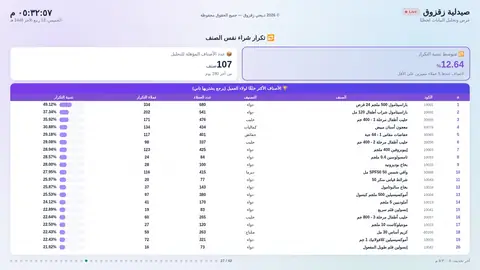
35 Repeat purchasesItems customers come back to buy again.
Expected repurchase window
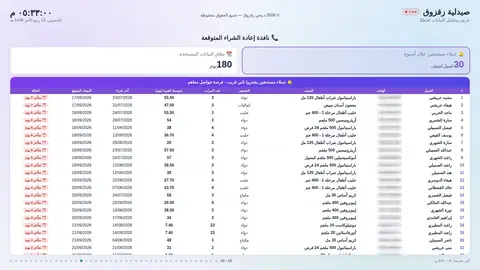
36 Expected repurchase windowCustomers due to buy their usual item within a week, or overdue.
Customers at risk
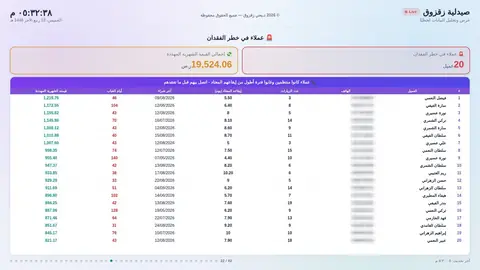
37 Customers at riskRegulars who have been away longer than usual.
Top 20 customers
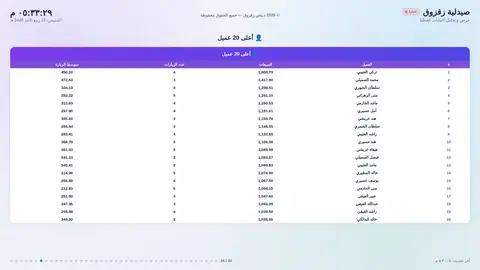
38 Top 20 customersThe top 20 customers by purchases this month, with visit counts.
Returns
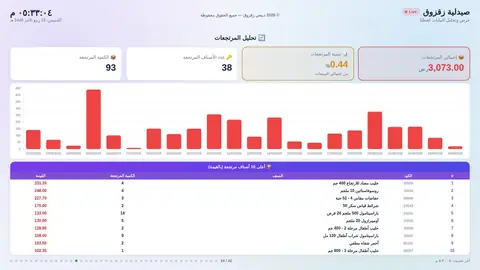
39 ReturnsTotal returns and their share, the daily trend and the most-returned items.
Discount monitoring
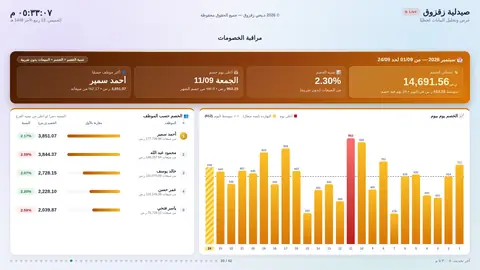
40 Discount monitoringTotal discount and its share, discount by day, and staff ranking.
Do discounts work?
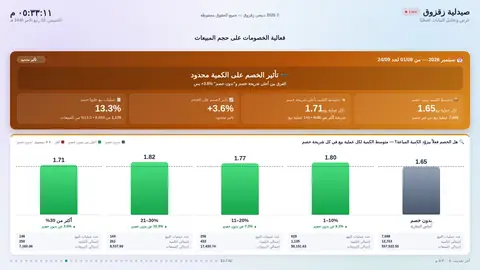
41 Do discounts work?Does a discount actually make the customer buy more?
Staff performance
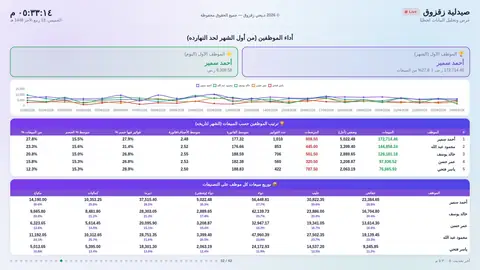
42 Staff performanceTop performer this month and today, each person's sales curve and category split.
Design

Made for the branch TV

Rotates on its own

Each screen stays a few seconds, then the next, and figures refresh from the system about every 30 seconds.
Fair comparisons

Always against exactly the same period: the same day, up to the same hour.

Jump with one tap

The dots at the bottom show the screen number; tap any dot to go straight there.

Colours that mean something

Green is better, red needs action, and an unfinished day is drawn differently.

Picks the branch itself

A pharmacist signs in and sees their own branch, on the TV or on a phone.

Excel export

Shortage, order and expiry lists download as a file ready for ordering or returns.
Want a screen like this for your pharmacy?

Get in touch